
Orixo Wormhole1.8.0 - App Store
You'll be able to see results in few seconds.
Publisher Description
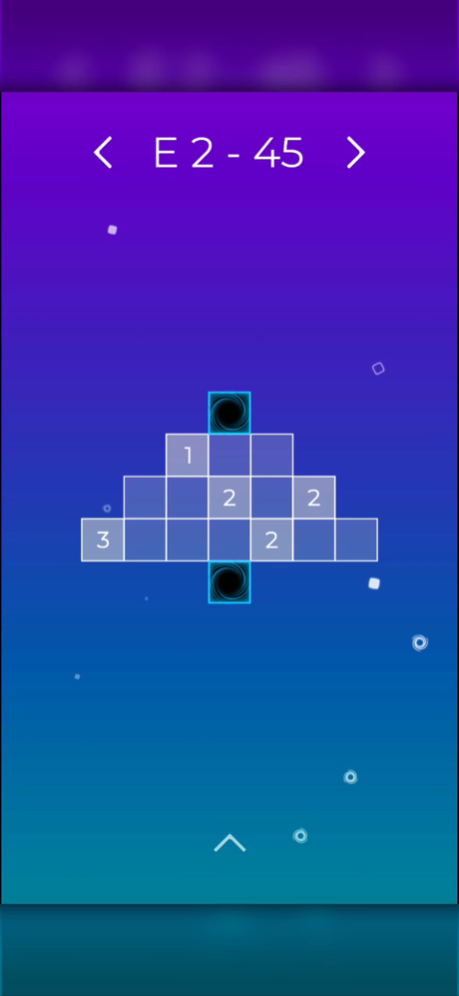


The sequel to Orixo is here!
Orixo Wormhole comes with a new challenging feature: Wormholes.
Similar to its predecessor, Orixo Wormhole is a relaxing, mind-bending, minimalist puzzle game that offers hundreds of hand-crafted levels to immerse yourself into. A beautifully meditative soundtrack accompanies you in your delightful experience.
How to play:
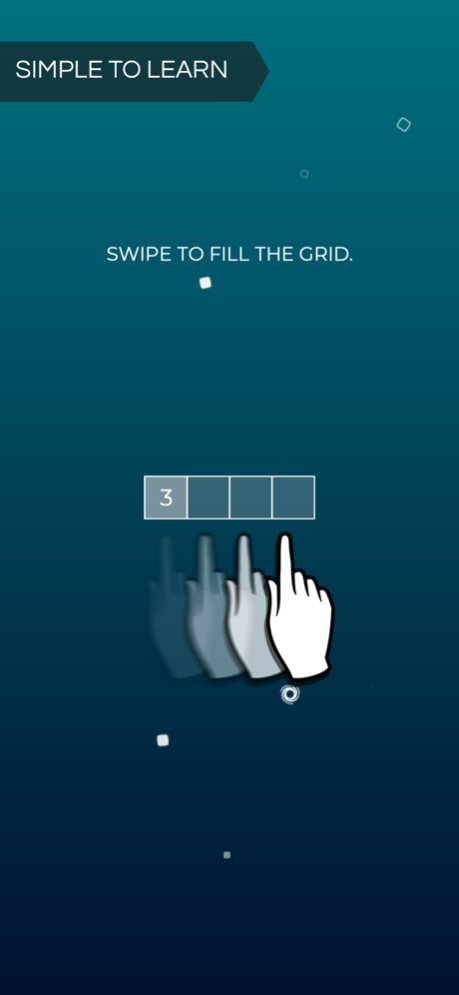
Fill the grid by dragging your finger over cells with a number inside of it. The number represents the number of cells it will fill. It can fill in one of the four cardinal directions. If a cell is already filled, it will fill the next available cell in the direction you chose. During the drag, the cells that are going to be filled will be highlighted.
Features:
- 362 hand-crafted puzzles
- All levels are free and accessible from the start
- Hints are available to help you find the solution to some levels
- Game progress is saved automatically
Don't hesitate to contact us if you find any issue with the game or if you simply want to send us your feedback, it is greatly appreciated.
Oct 18, 2022
Version 1.8.0
- Added 120 fps support
- Fixed UI flickering issue
- General fixes and improvements
About Orixo Wormhole
The company that develops Orixo Wormhole is Logisk Studio Inc.. The latest version released by its developer is 1.8.0.
To install Orixo Wormhole on your iOS device, just click the green Continue To App button above to start the installation process. The app is listed on our website since 2022-10-18 and was downloaded 0 times. We have already checked if the download link is safe, however for your own protection we recommend that you scan the downloaded app with your antivirus. Your antivirus may detect the Orixo Wormhole as malware if the download link is broken.
How to install Orixo Wormhole on your iOS device:
- Click on the Continue To App button on our website. This will redirect you to the App Store.
- Once the Orixo Wormhole is shown in the iTunes listing of your iOS device, you can start its download and installation. Tap on the GET button to the right of the app to start downloading it.
- If you are not logged-in the iOS appstore app, you'll be prompted for your your Apple ID and/or password.
- After Orixo Wormhole is downloaded, you'll see an INSTALL button to the right. Tap on it to start the actual installation of the iOS app.
- Once installation is finished you can tap on the OPEN button to start it. Its icon will also be added to your device home screen.
Program Details
System requirements
Download information
Pricing
Version History
version 1.8.0
posted on 2022-10-18
Oct 18, 2022
Version 1.8.0
- Added 120 fps support
- Fixed UI flickering issue
- General fixes and improvements
version 1.7.2
posted on 2022-02-02
Feb 2, 2022 Version 1.7.2
- Fixed bug where the game becomes unresponsive after a review pop up appears
- Improved the font generation algorithm
version 1.7.1
posted on 2022-01-18
Jan 18, 2022 Version 1.7.1
- Fixed bug with cloud saving
- Fixed bug with alert pop up crashing the app
- Updated libraries
version 1.7.0
posted on 2021-05-25
May 25, 2021 Version 1.7.0
- Improved cloud saving
- Updated settings view
- General fixes and improvements
Disclaimer
Official App Store Link
We do not host Orixo Wormhole on our servers. We did not scan it for viruses, adware, spyware or other type of malware. This app is hosted by Apple and passed their terms and conditions to be listed there. We recommend caution when installing it.
The App Store link for Orixo Wormhole is provided to you by apps112.com without any warranties, representations or guarantees of any kind, so access it at your own risk.
If you have questions regarding this particular app contact the publisher directly. For questions about the functionalities of apps112.com contact us.
